Home About Download Features Screenshots Supportnew! People Requests
Update: v2.2 server now available. Read the change log for more info.
Windows

1. On your computer

Install the Unified Remote server application on your computer. This will allow your device to connect and communicate to your PC on your home network. Requires Windows and .NET Framework 4.

Setup v2.2 (msi) Setup v2.2 (zip) Portable v2.2 (zip)
Android

2. On your device

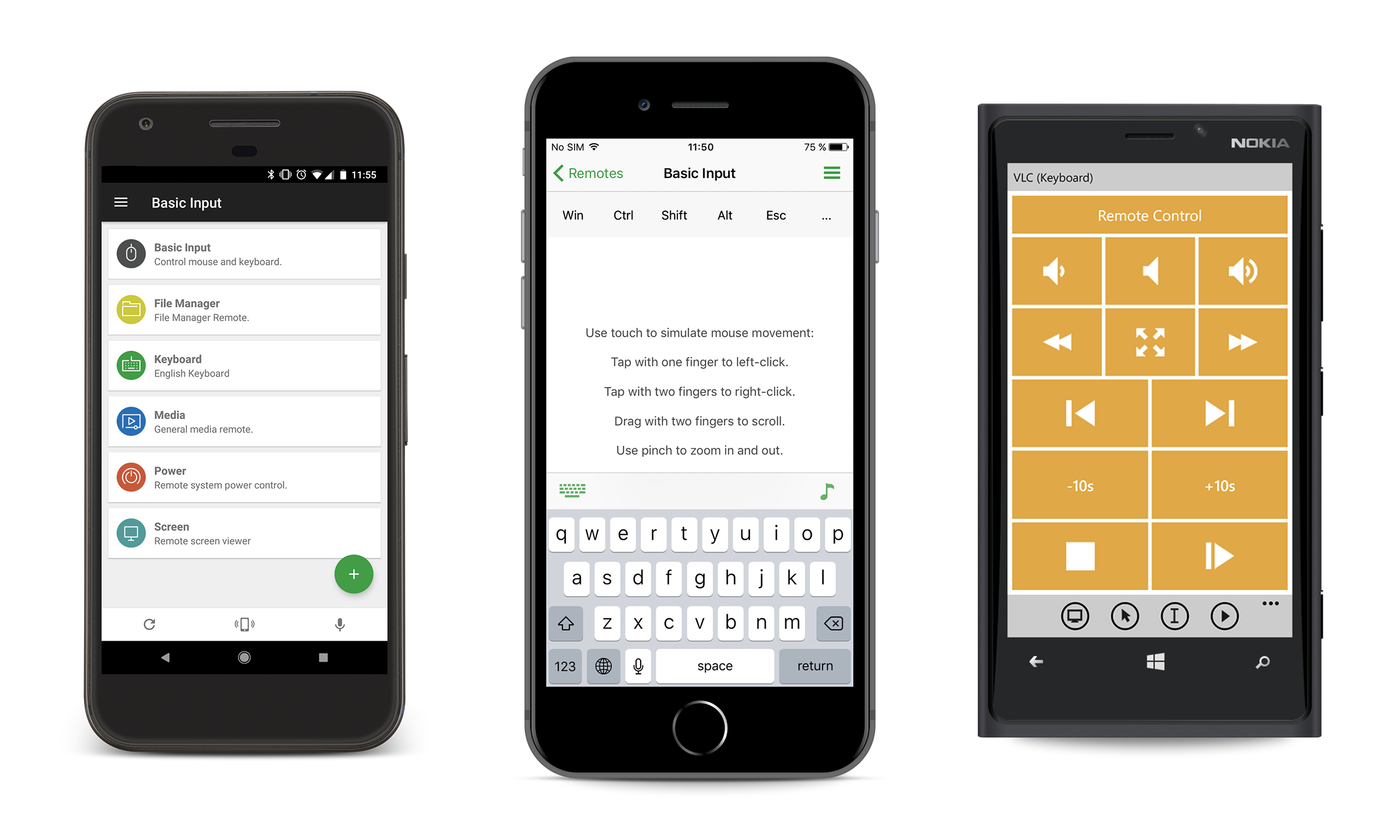
Get the Unified Remote client application from the Android Market. Connect to your PC and control Media Playback, Mouse, Keyboard, PowerPoint, and much more. See features comparison.

Free v2 Full v2
PayPal

3. Support us

Do you like our app? Help support us by making a donation. We will appreciate any amount you have to offer!

Donate Here

Latest Reviews

  • gurushala.net Unified Remote Android App that lets you control your Computer from your Android phone.
  • molempire.com Unified Remote Control For Android
  • getandroidapps.net A must try out app for all Android lovers.
  • crustykritics.com Setup simplicity, general intuitiveness and attention to detail make Unified Remote highly recommended and an essential part of my home theater setup.
  • addictivetips.com ...one of the best Android apps to help you give you complete remote control of your PC
  • Read more reviews
qrcode Click to close